- Insert a USB Mouse into the Media Player.
- Exit the Signage Player via the steps outlined below.
- Left click the mouse anywhere on the screen.
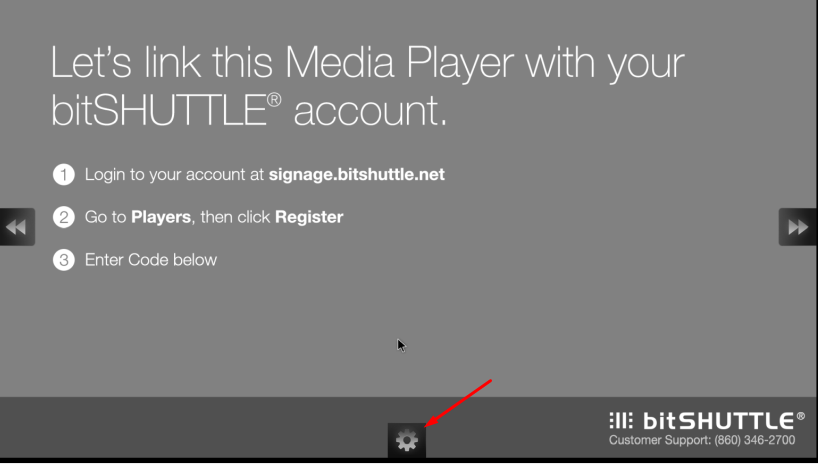
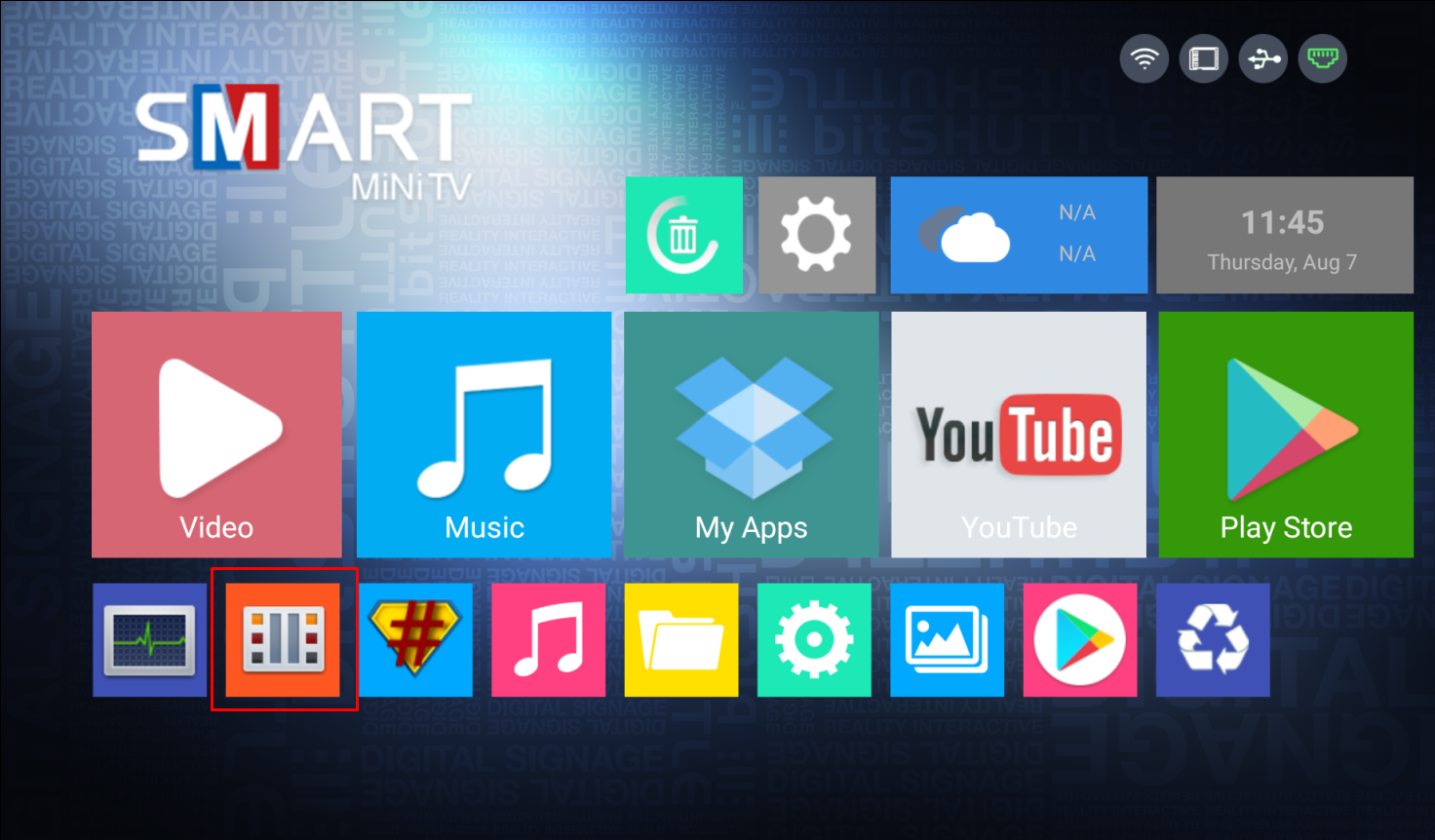
- Click on the gear at the Center of the Bottom/Left side of the TV - Based on orientation
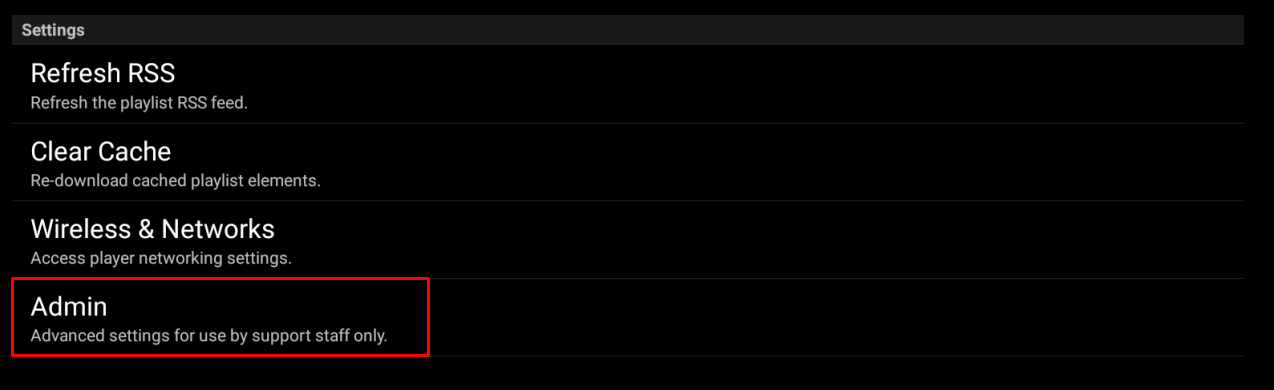
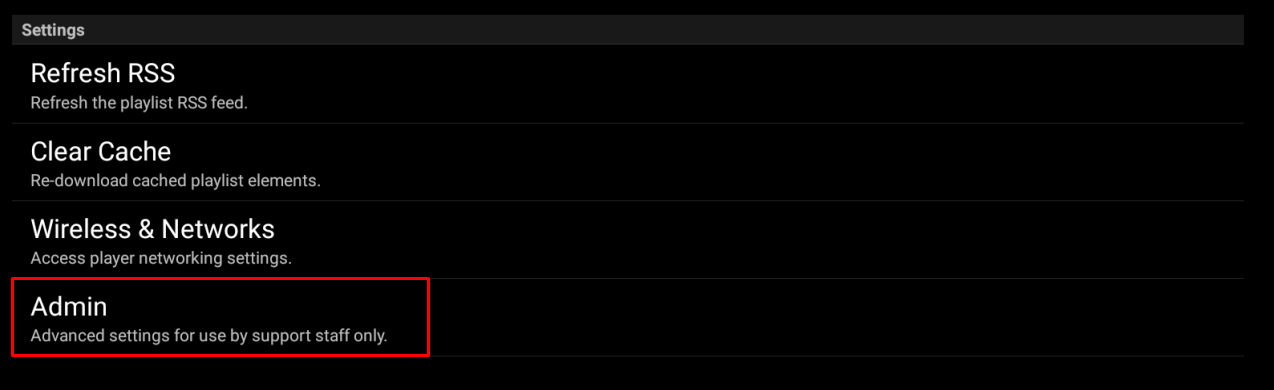
- Click on Admin
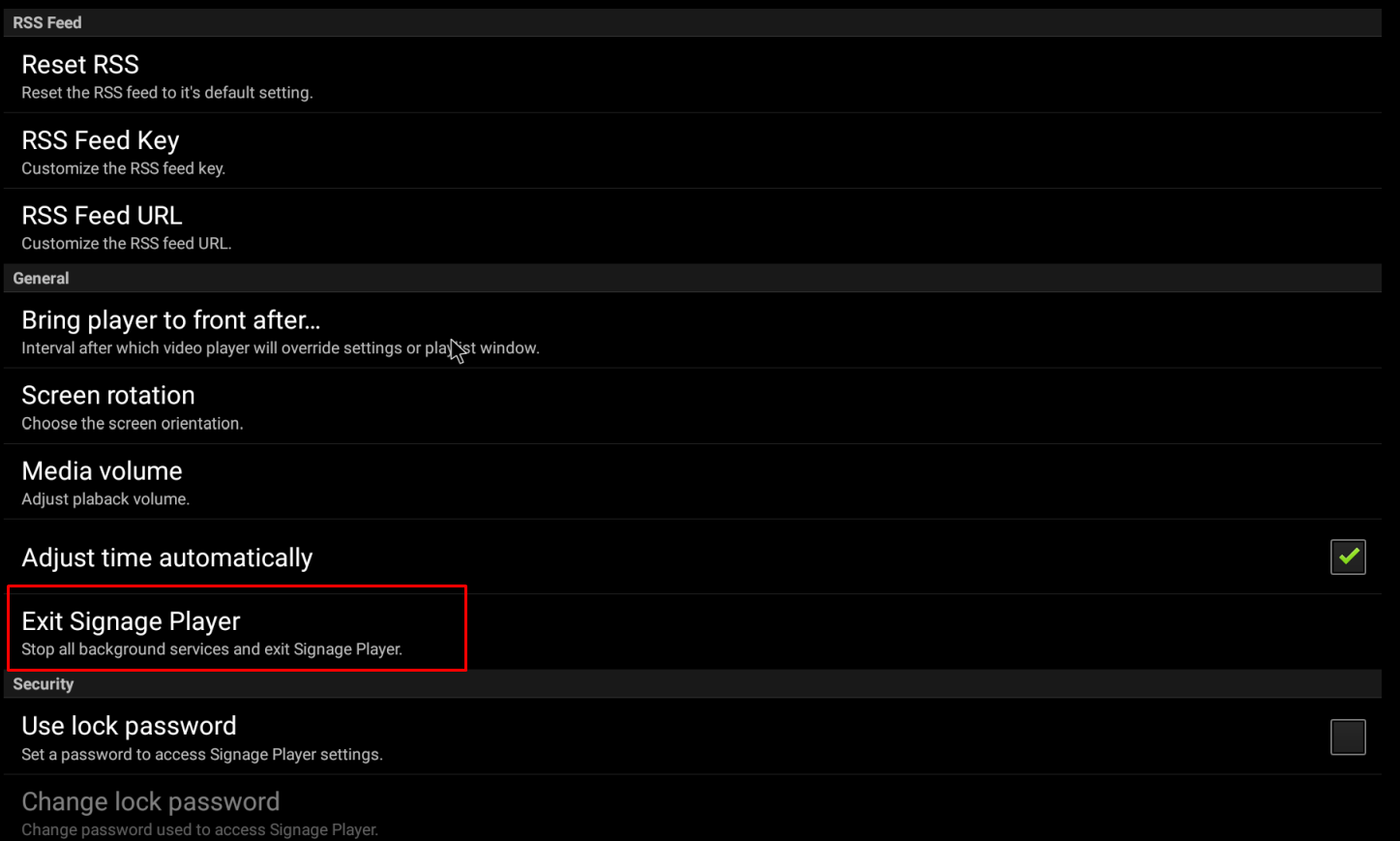
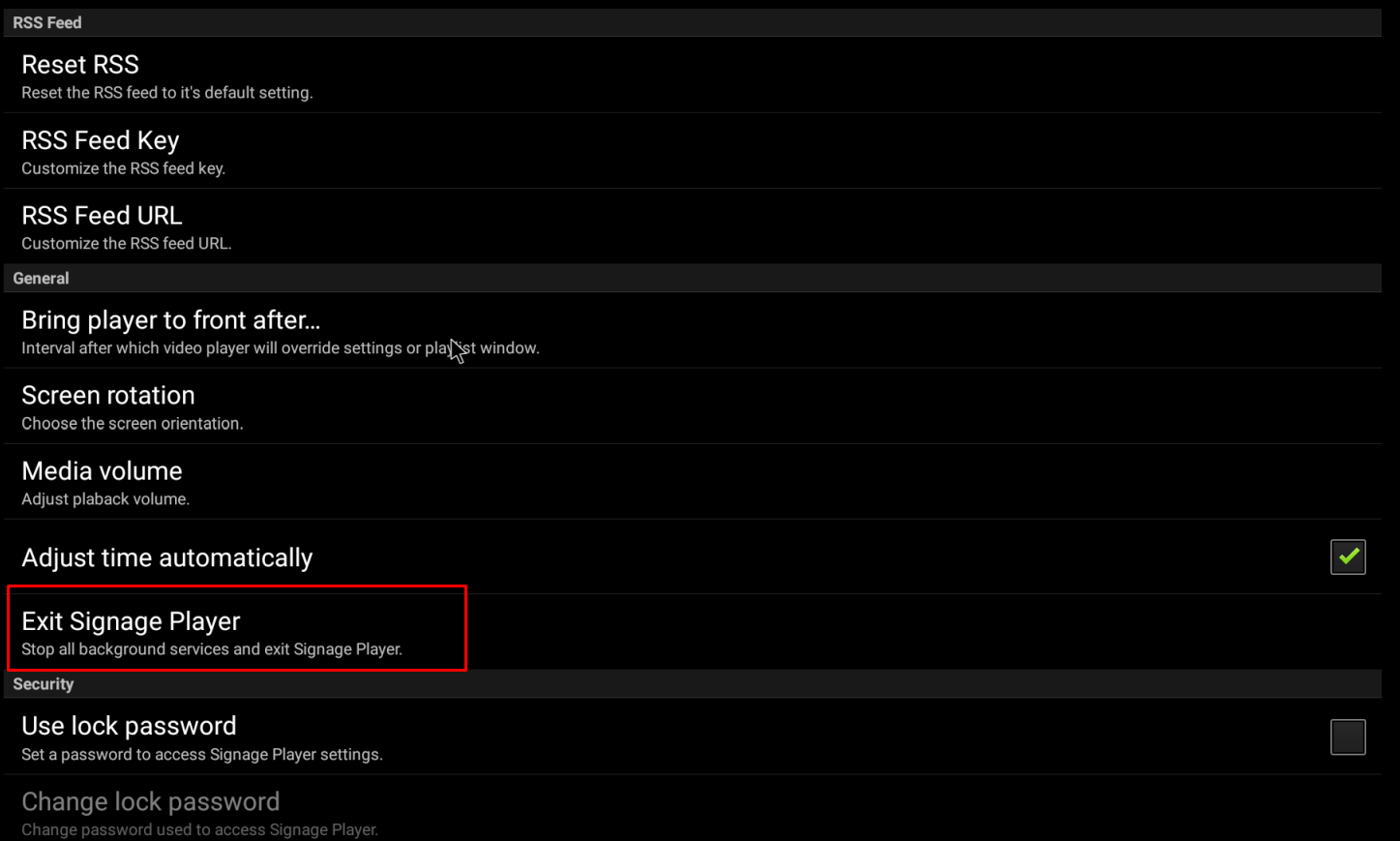
- Click on Exit Signage Player
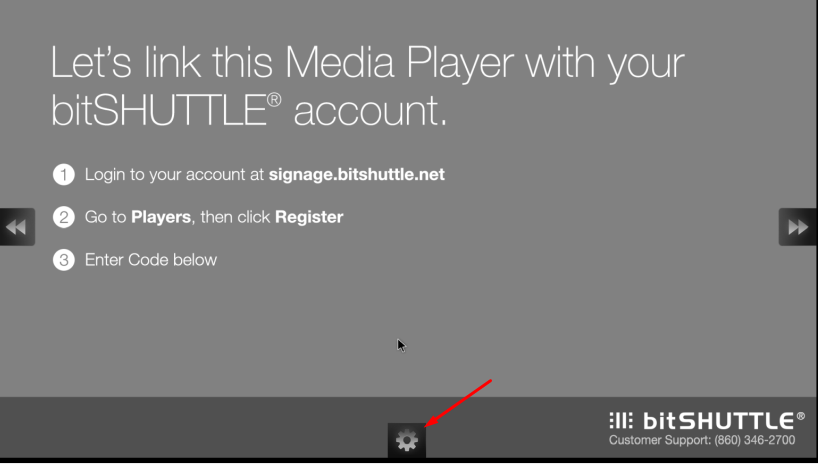
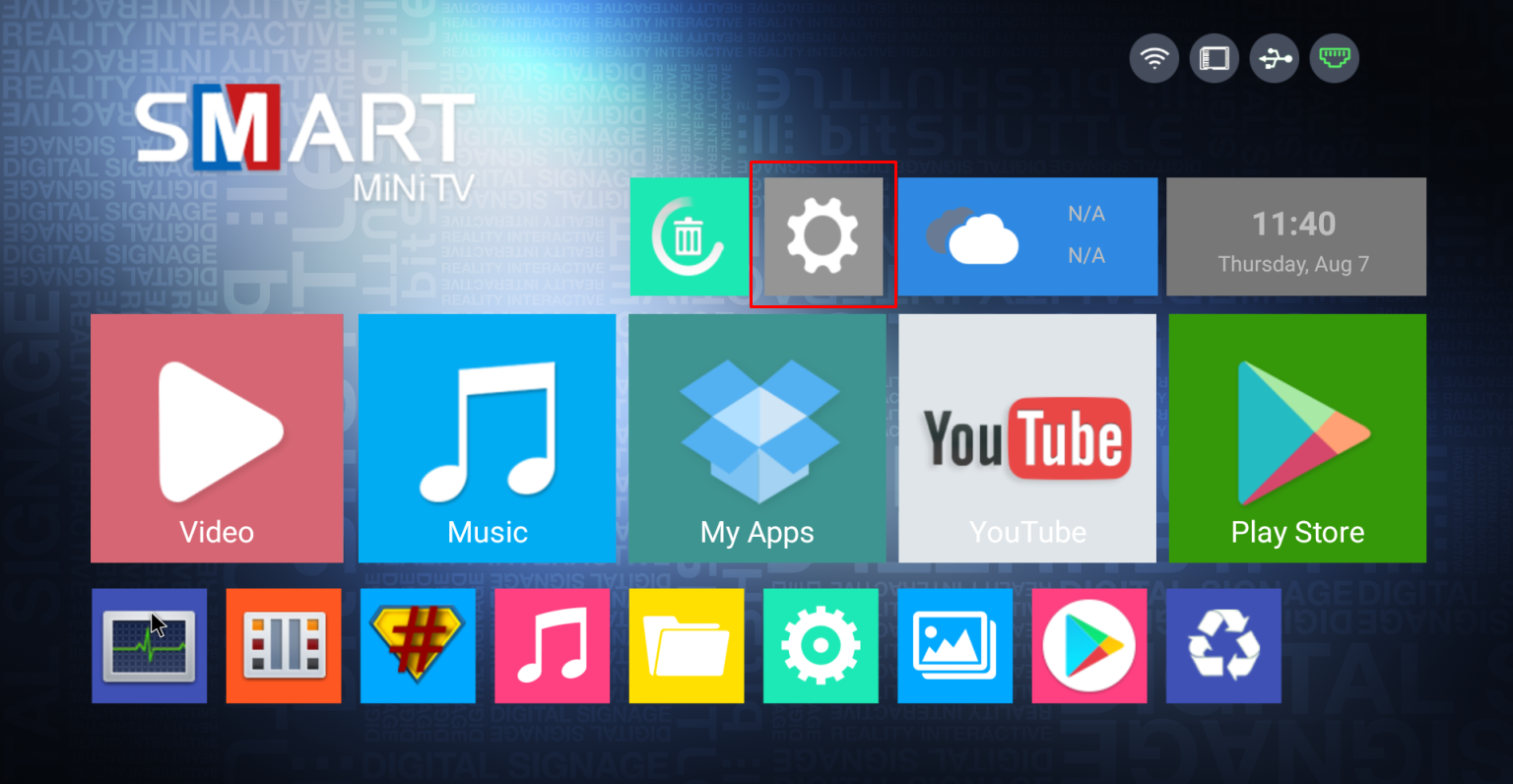
- Click on the Gear to open the settings menu.
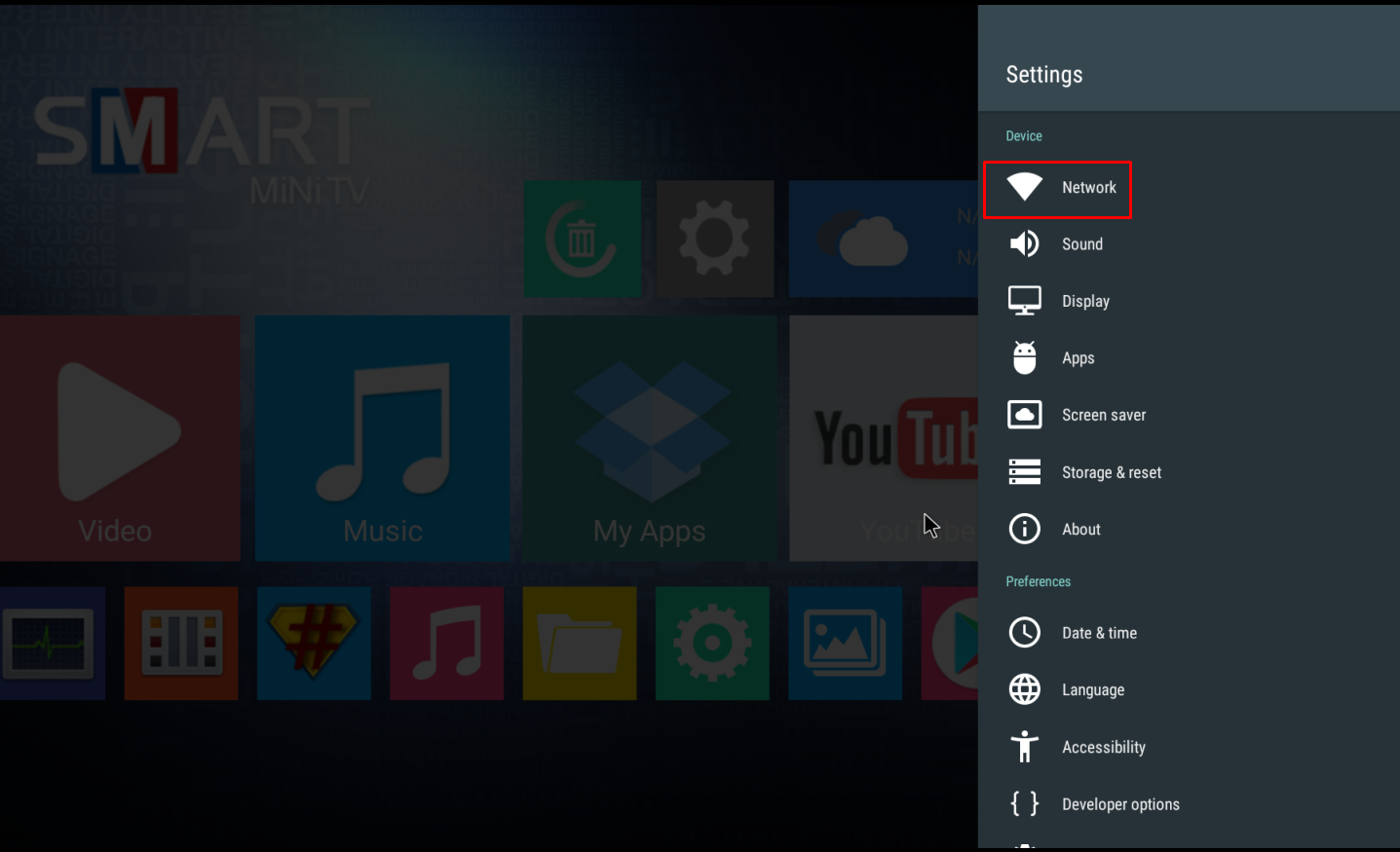
- Enable WiFi if not Enabled (image below shows WiFi Disabled)
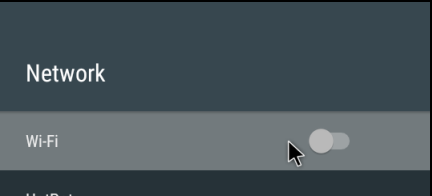
- Select the proper WiFi and Enter Passcode if needed - Use Onscreen Keyboard or USB Keyboard
- Once connected, right click the mouse twice to go back to main menu
- Click on the Signage Player App on the Main menu

Was this article helpful?
That’s Great!
Thank you for your feedback
Sorry! We couldn't be helpful
Thank you for your feedback
Feedback sent
We appreciate your effort and will try to fix the article